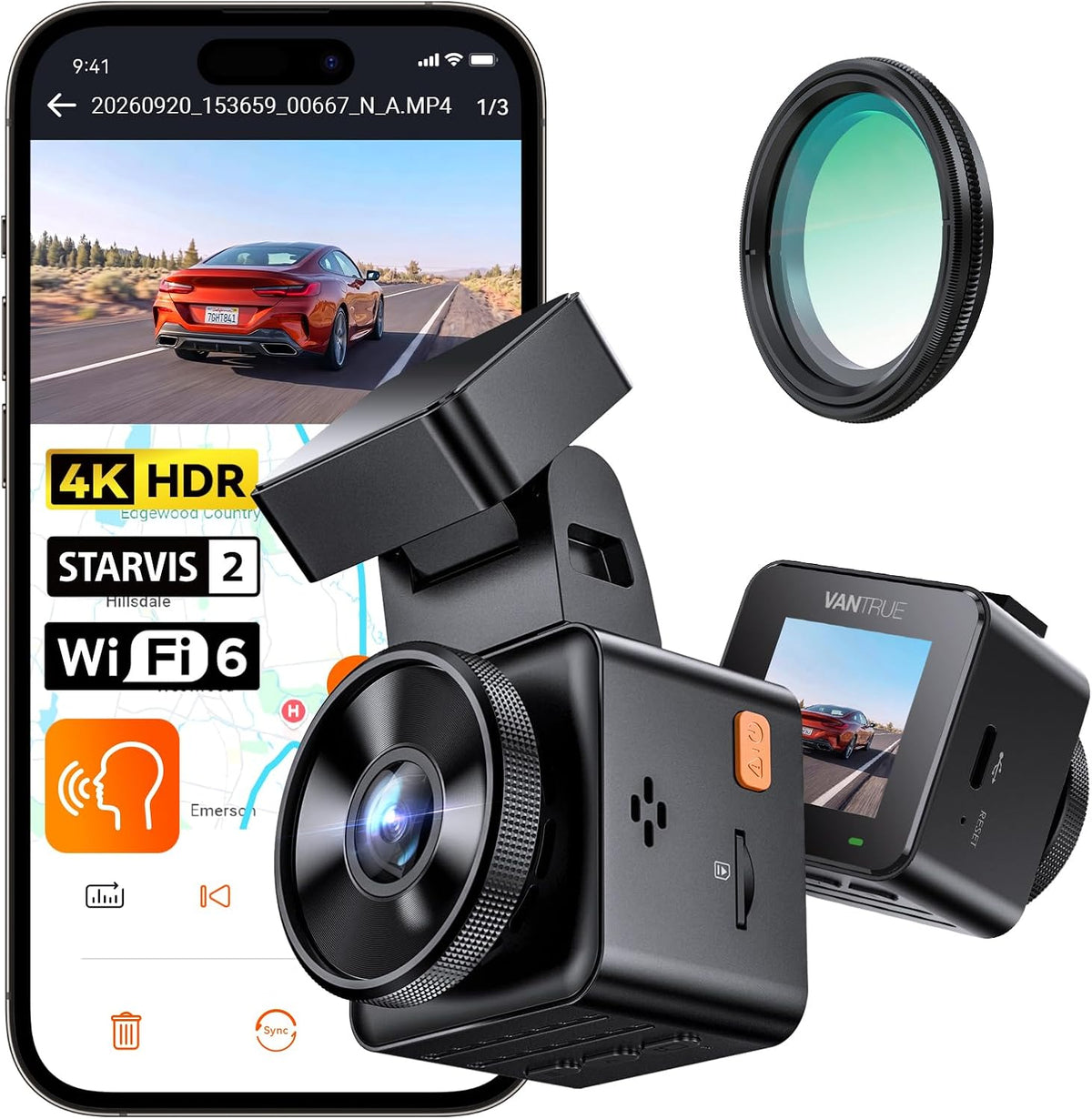
Vantrue E1 Pro S 1-CH Front Dash Cam - Mini 4K, STARVIS 2, Wi-Fi 6, AOV Parking Mode
Low stock
Regular price
$259.99
Sale price
$259.99
Regular price
RRP
Unit price
per
Tax included.
Shipping calculated at checkout.
- Fully secure checkout
- Local Australian Stock
- "No-Worries" Returns
Need it installed?
Find a local installer near you via 'Find an Installer'
Seen it cheaper?
We'll match it!* Reach out to us via Live Chat
Couldn't load pickup availability
Keep an Eye on the Car After You Walk Away. The Vantrue E1 Pro S Is a 4K Mini Dash Cam With AOV Parking Mode
Most parking modes sleep until something wakes them. A knock hard enough, or movement close enough, starts a clip, and anything gentler slips straight past. The slow reverse into your door at the shops often never registers at all. The Vantrue E1 Pro S keeps the tiny 4K body of the E1 Pro and adds AOV parking mode, which keeps a low-power recording running at one frame a second while the car is parked and powered.
Trusted AU store: We're an authorised Australian reseller, shipping from Melbourne within 24 hours*. You get an 18-month warranty with no product registration required, local technical support, and our 30-Day No-Worries returns.
Who This Isn't For: The E1 Pro S is a single-channel camera, so it records the road ahead only. For the road behind as well, the Vantrue E2 Pro records 4K front and 1440p rear. If you will never hardwire it, the Vantrue E1 Pro uses the same Sony sensor through a slightly wider lens. The S suits drivers who will wire it in for parking mode and want a camera nobody notices.
DCG Highlights
What We Love
- AOV parking mode captures a frame every second, or every two, while you're parked, so slow damage that would never trip a sensor still leaves a record on the card
- 4K at 30fps on a Sony STARVIS 2 IMX678 sensor behind an F1.8 lens, which gives a number plate more pixels to work with when you pause and zoom
- TurboBoot starts recording in about 1 second, before the screen has even woken up, so you're already covered backing out of the driveway
- PlatePix, Vantrue's number plate processing for glare and night driving, with a timer that switches it on after dark and off again in the morning
- A CPL filter comes in the box, so dashboard reflections come off the windscreen on bright days without a separate purchase
- Wi-Fi 6 to the Vantrue app, so pulling a clip onto your phone in the car park is quick
- The camera slides off its GPS mount and plugs straight into a computer with the included USB-C data cable. Michael has had one on his car, and this is his favourite everyday feature, mostly because it means he never has to find the card adapter again
- A supercapacitor rather than a lithium battery, the sensible choice for a car that sits in Australian sun
Good to Know
- Parking mode is off out of the box, and every parking mode needs constant power from a hardwire kit or a dash cam battery pack, sold separately.
- AOV writes to the card the whole time you're parked, so size your card up. No card comes in the box.
- Vantrue rates the E1 Pro S to run from minus 20 to 60°C. On hot summer days its manual recommends plain Collision Detection over AOV, and turning the camera off if the cabin reaches 60°C.
Why Does AOV Parking Mode Catch What Other Modes Miss?
AOV parking mode records without waiting for a trigger. A normal parking mode only saves footage when something crosses a threshold: motion detection needs a person close enough to the lens, and impact detection needs a knock hard enough for the G-sensor. That works for a solid hit. Plenty of car park damage is slow, though, like a trolley rolling into a door or a car creeping back until it touches your bumper. If nothing clears the threshold, there is no clip.
The Vantrue E1 Pro S takes the threshold away. In AOV mode it keeps capturing one frame a second (or one every two seconds) for as long as it has power, so the footage exists whether or not anything triggered it. AOV Collision Detection adds a locked clip when the G-sensor feels a bump. The trade-off is honest enough: AOV is a time lapse, not real-time video, and at the default setting 30 seconds of parking plays back in one. It is built to show you what happened, and when.
What Is Different From the Vantrue E1 Pro?
The Vantrue E1 Pro S keeps the E1 Pro's sensor, screen and size, and changes how it starts and how it parks.
| Feature | Vantrue E1 Pro S | Vantrue E1 Pro |
|---|---|---|
| Sensor | Sony STARVIS 2 IMX678 | Sony STARVIS 2 IMX678 |
| Processor | New generation Novatek | Previous generation Novatek |
| AOV parking mode | Yes | No |
| TurboBoot fast start | Yes, about 1 second | No |
| Wi-Fi | Wi-Fi 6 | Dual-band Wi-Fi 5 |
| Field of view | 155° | 158° |
| CPL filter in the box | Yes | Yes |
Top Benefits
- Parked cover without a trigger: AOV keeps a low-power recording running, so there is no sensor threshold to clear.
- Readable plates: 4K on the STARVIS 2 IMX678 sensor, with PlatePix after dark, gives each plate more pixels before you zoom in.
- Rolling sooner: TurboBoot has the camera recording about a second after power on, so short trips are covered from the first metre.
- Nothing on show: The cube-shaped body hides behind the mirror. The 1.54-inch screen is there for settings and quick checks, not for watching the footy.
- Less glare: The included CPL filter takes reflections from the dash off the glass.
- Proof of where and how fast: GPS in the mount stamps speed and location on the footage.
- Clips without pulling the card: The Vantrue app downloads footage over the camera's own Wi-Fi, or you can plug it into a computer with the USB-C cable.
Set It Up for Parking Mode From Day One
Add the Vantrue E1 Pro S with the Vantrue VP05 hardwire kit so AOV has constant power, or the VP01 if you want four cut-off levels and a parking timer, plus a large Vantrue High Endurance card so AOV has room to run. We ship from Melbourne within 24 hours*, backed by our 30-Day No-Worries returns. We do not install cameras ourselves, but you can find someone local in our directory of independent installers. They are independent businesses, so you book and contract directly with them.
🔍 Still deciding? Read our hands-on Vantrue E1 Pro S review, or compare the range in our Vantrue dash cam comparison.
📖 Own this already? Read the Vantrue E1 Pro S manual, firmware and troubleshooting guide.
What's Included
What's Included
Specifications
Specifications
FAQ
FAQ